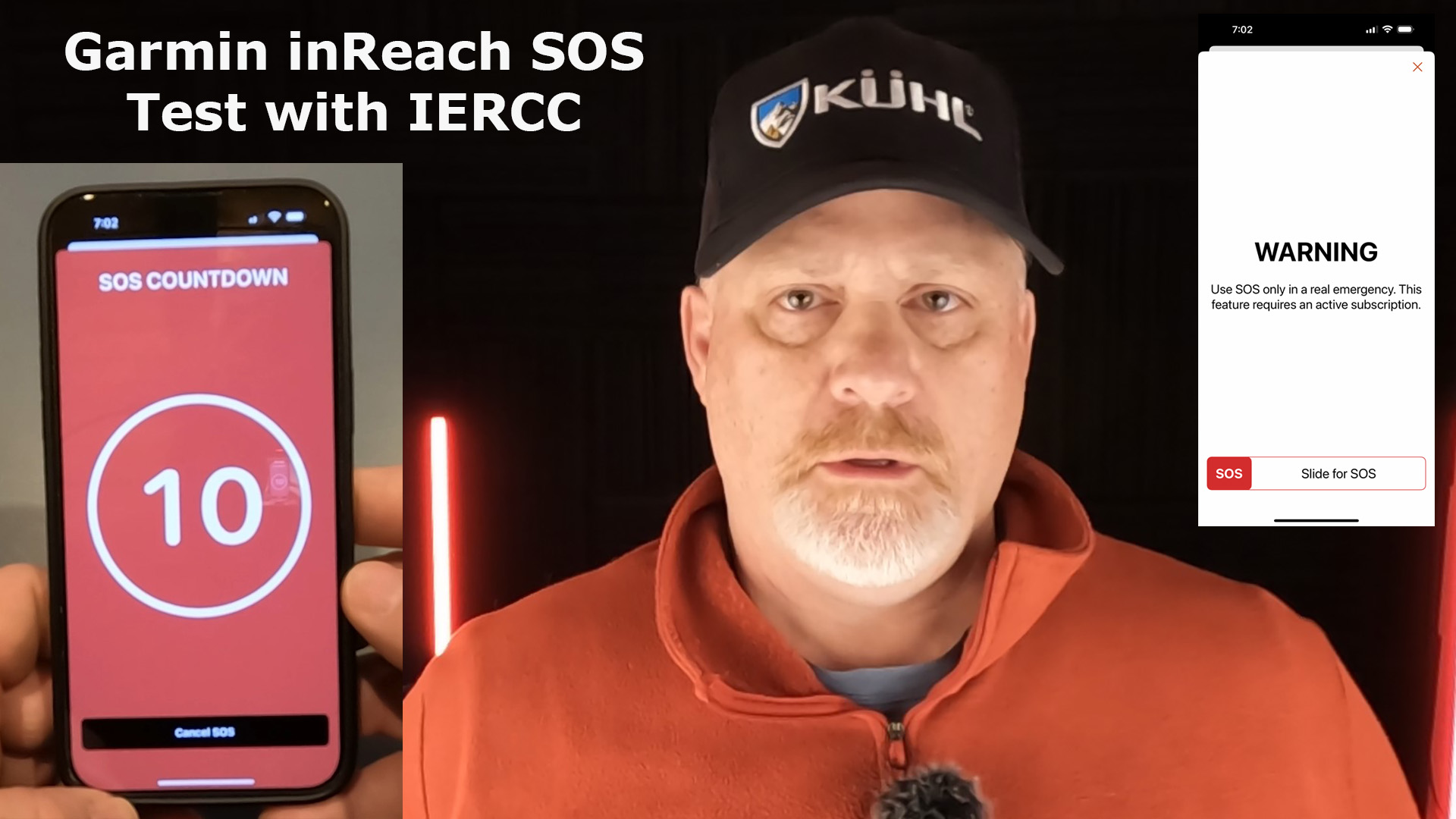
Check out my 1st Garmin inReach SOS Test with IERCC and see if it went well or failed.


The SOS Setup
First, make sure you schedule your SOS setup far enough in advance and make sure you know how far in advance. With IERCC, they suggest you schedule the test at least 72 hours in advance.
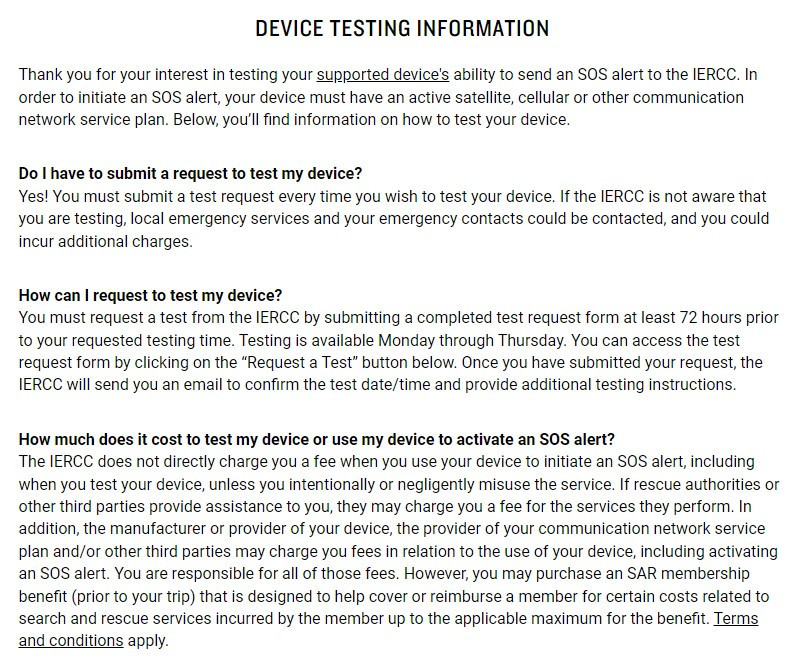
Next, make sure you read the instructions at least once so you know in advance what you will need to do, and then go over it again the day of your test.
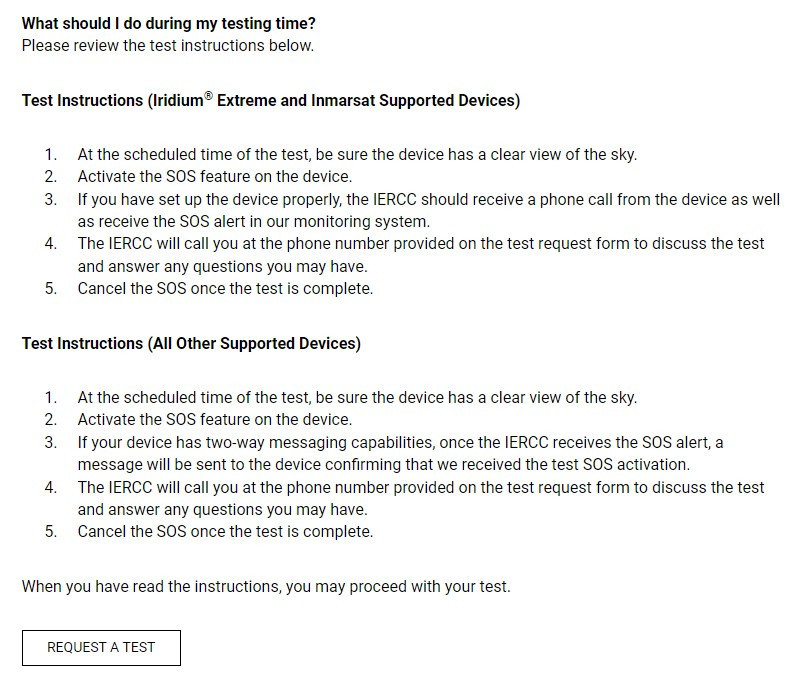
Once you have your test set up, add it to your calendar so you don’t forget.
The Day of the SOS Test
Word of warning: It’s best to do the test when it’s not extremely cold outside. I inadvertently scheduled my test on the coldest day of this year in Colorado when it was “minus” 17 degrees (F).
The night before the test I made sure of my testing time, checked to see if my video equipment was ready to go and thought through the process and decided how much earlier I had to get up, as I also had to go to work after the test.
Alright, it was time to hit that BIG RED SOS button, and watch the countdown.
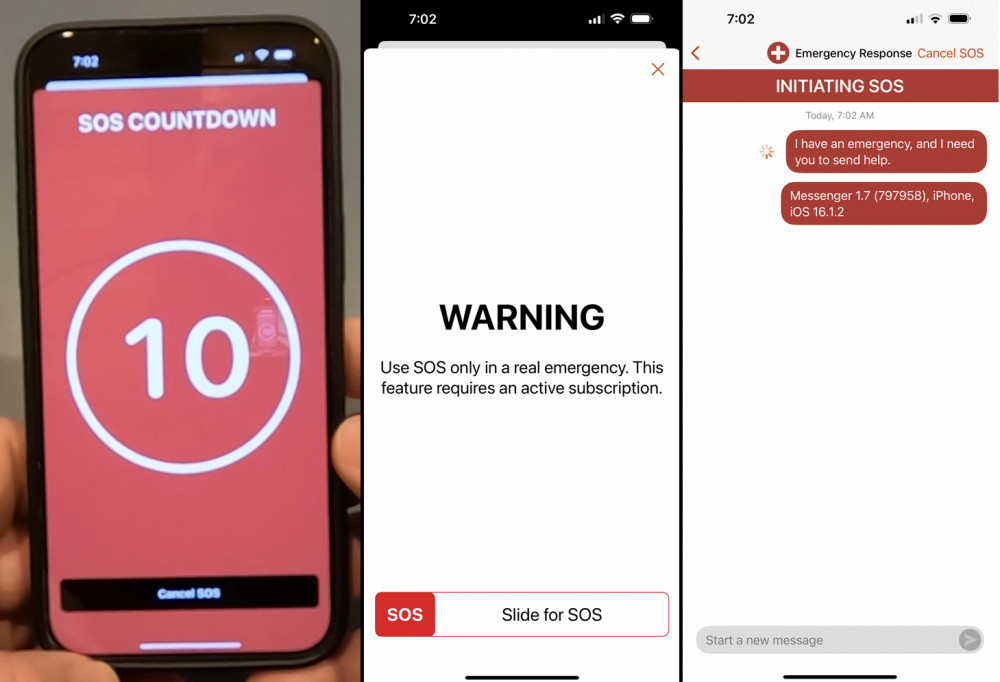
Note: I was using my Garmin inReach Mini 2, that was synced to my Garmin Messenger App, that uses cellular service or satellite service. Communication is much faster when in cell service.
IERCC contacted me easily within 30 seconds and I was on the phone with them within a minute.
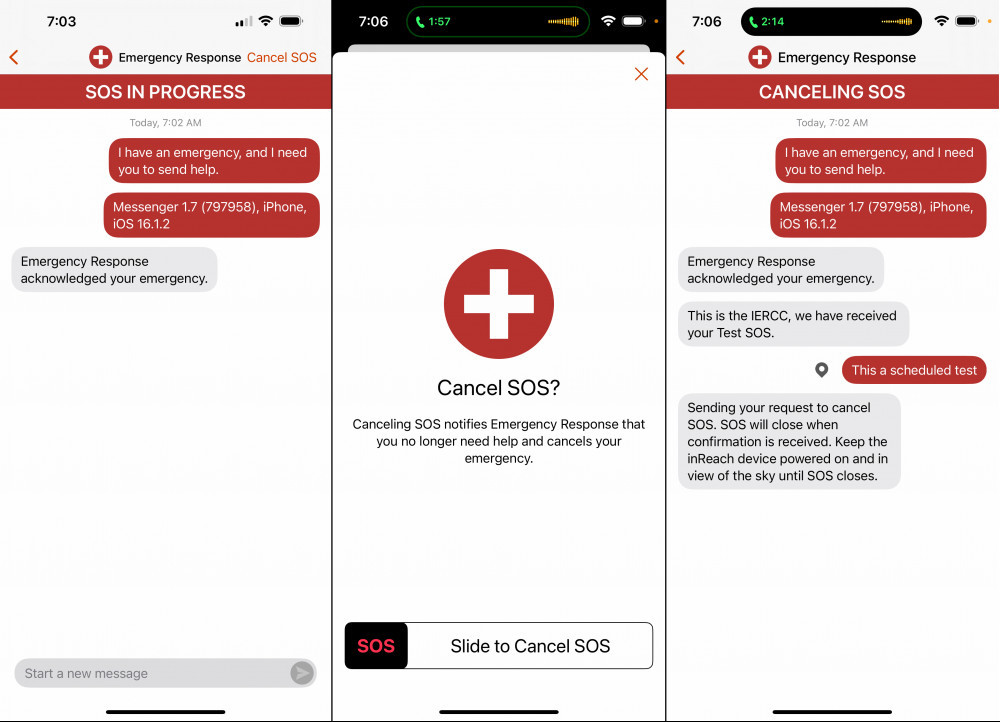
The IERCC talked with me about my location, verified my contacts and emergency information. They were very pleasant and professional.
Lastly, they stayed on the phone with me as I canceled the SOS call.
Final Thoughts
This was a quick and painless SOS test and I strongly recommend everyone tests their device before heading out on your outdoor adventure. It sure helped me feel more confident that the SOS works and how professional and responsive the IERCC team is.
Watch this YouTube video of the actual SOS field test.
No products found.
No products found.
No products found.
Return to Home Page